In real time
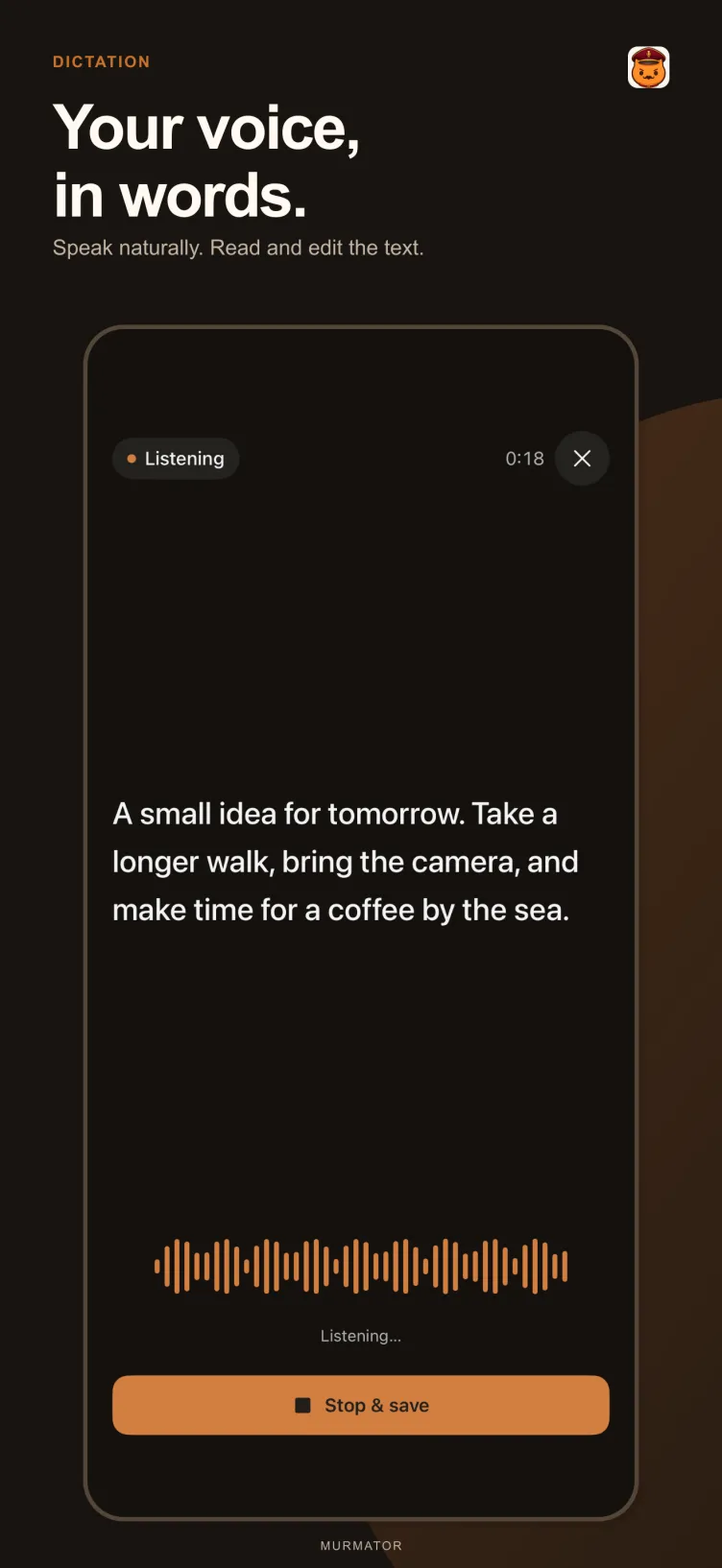
Speak and watch the transcript and translation appear as you talk. No need to wait for the end of a sentence to show the other person your screen.
 Speech, translation and real time — on device
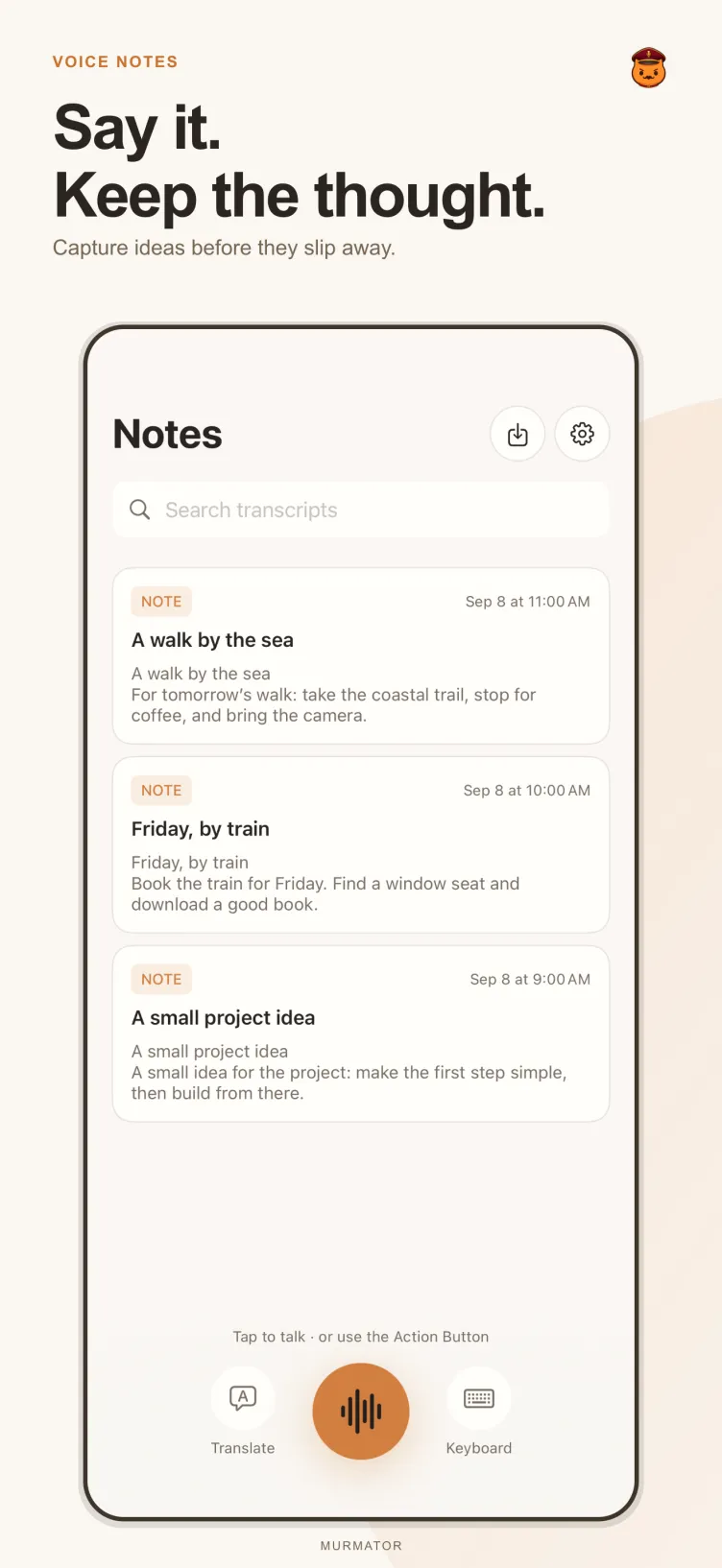
 Murmator turns speech into editable notes and translates text on your iPhone or iPad. Transcripts and translations appear while you speak.
Keep a thought, transcribe a recording or translate a message. Prepared speech recognition and translation run locally — on a plane, on the subway or while roaming. Download language packs before going offline.
Translation
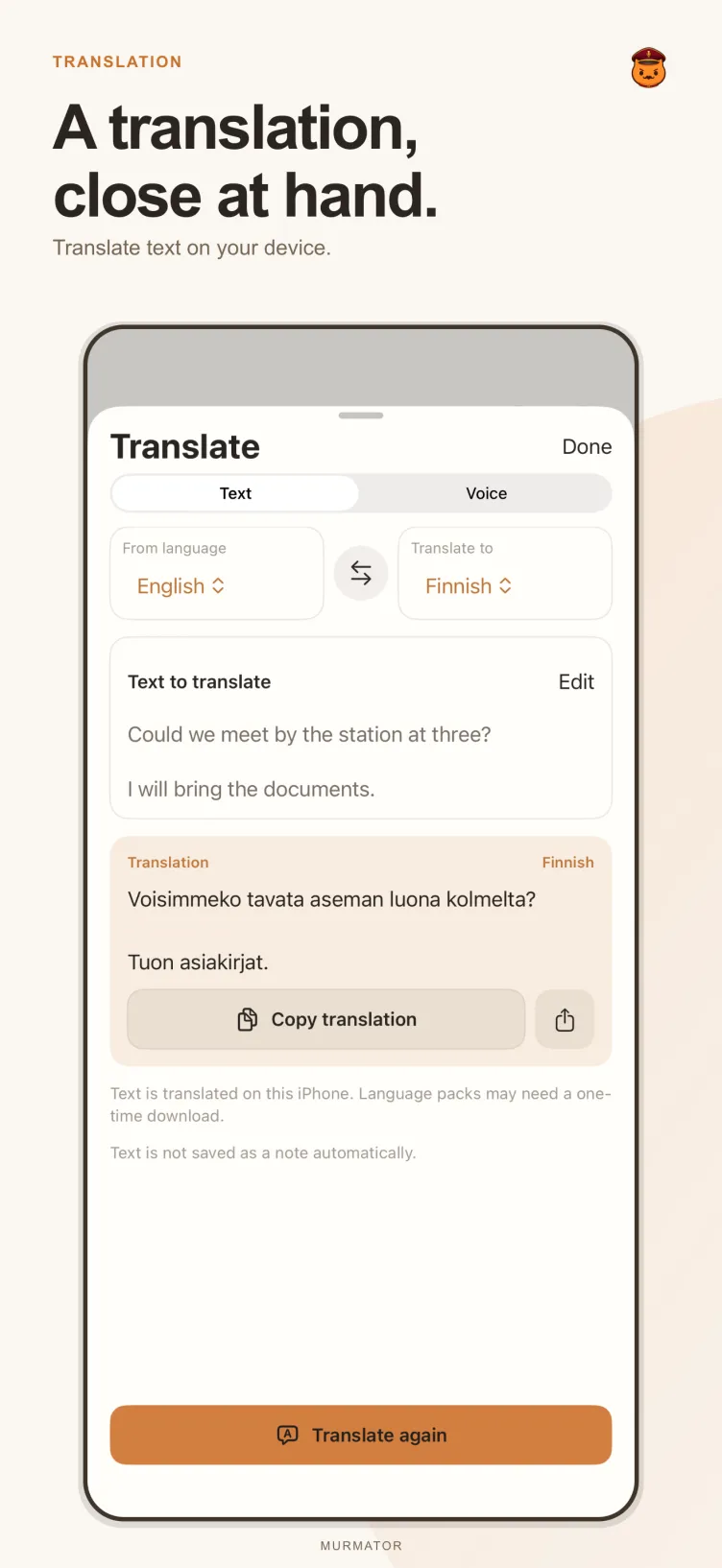
Translate text, swap languages and share the result. Translation runs on your device and never goes to a server.
Speak and watch the transcript and translation appear as you talk. No need to wait for the end of a sentence to show the other person your screen.
Swap languages with one tap and share the result. A language pair may also work through an intermediate language.
On iOS 18.4 or later, you can choose Murmator as your default translation app and translate selected text anywhere.
Offline
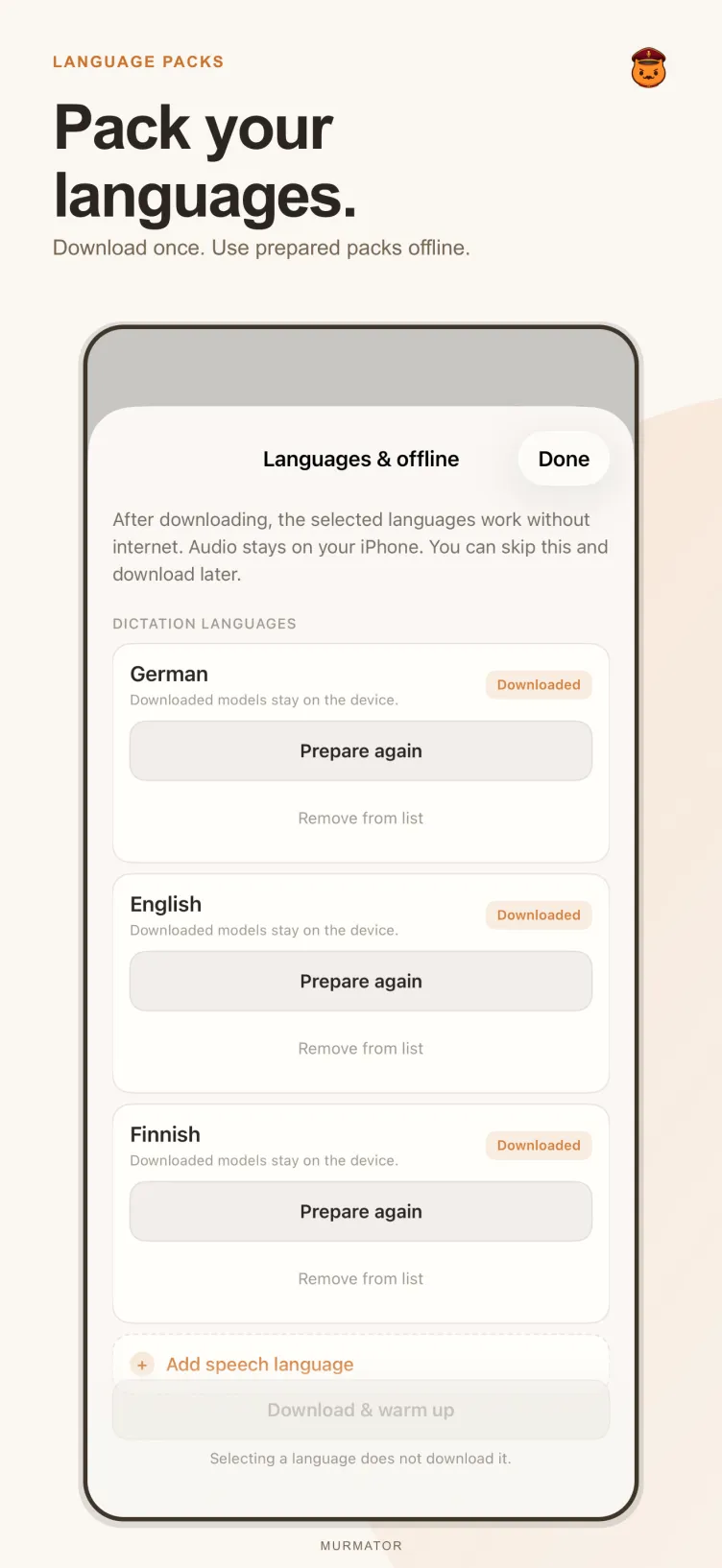
You only need a connection to download language packs. After that, speech recognition and translation both run on your iPhone — in airplane mode, without roaming and without Wi-Fi.
Do it ahead of time, while you have internet. Manage downloaded packs and unload models from memory in Settings.
Airplane mode, the subway, a flight, a foreign country without a local SIM. Nothing needs to be set up again.
Prepared speech recognition and translation run locally. So do notes, edits and search.
App screens
The interface is fully localized. The interface language is separate from the language packs for speech recognition and translation — those are downloaded separately.
Features
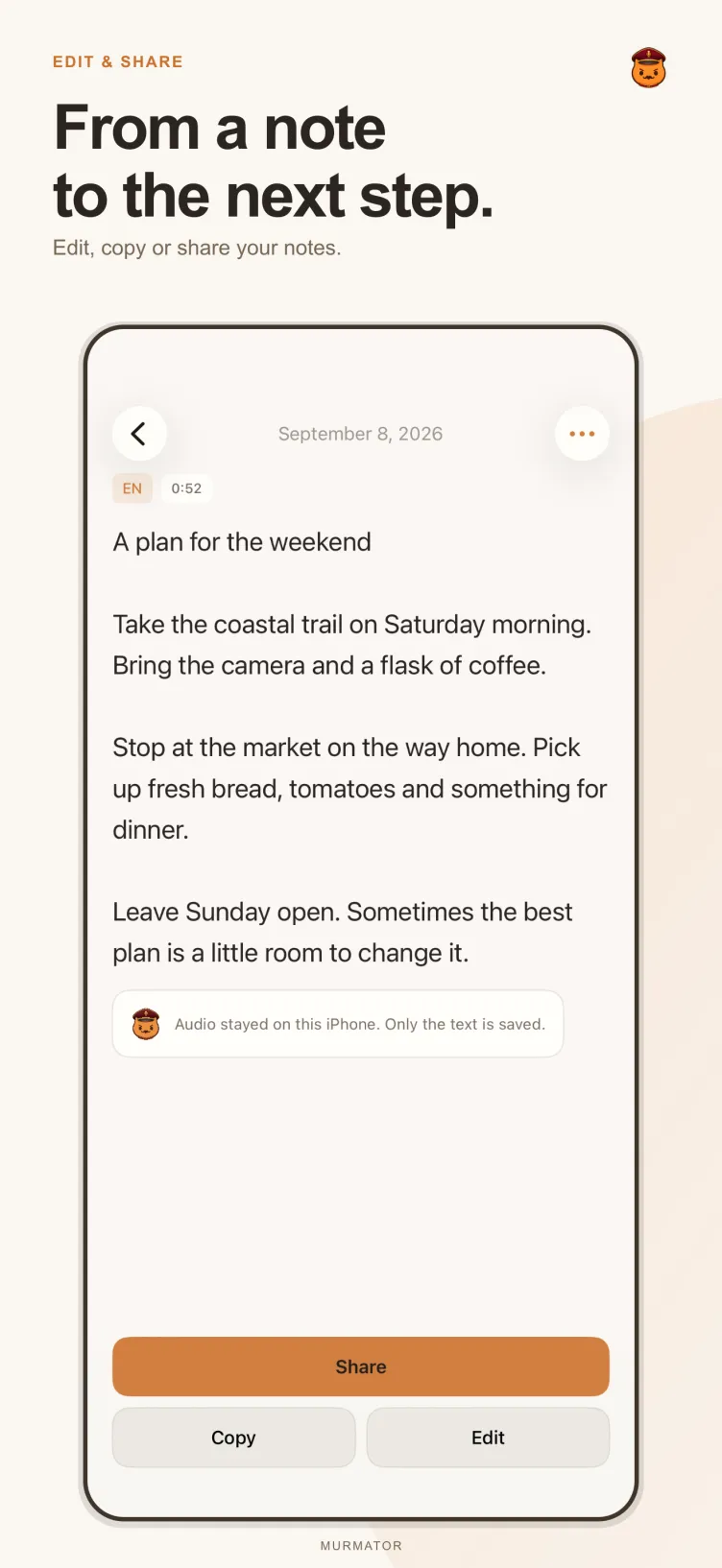
Tap the microphone and speak. Read the transcript, make an edit, find it later with search, or copy and share the words.
Translate text, swap languages and share the result. On iOS 18.4 or later, you can also choose Murmator as your default translation app and translate selected text in other apps.
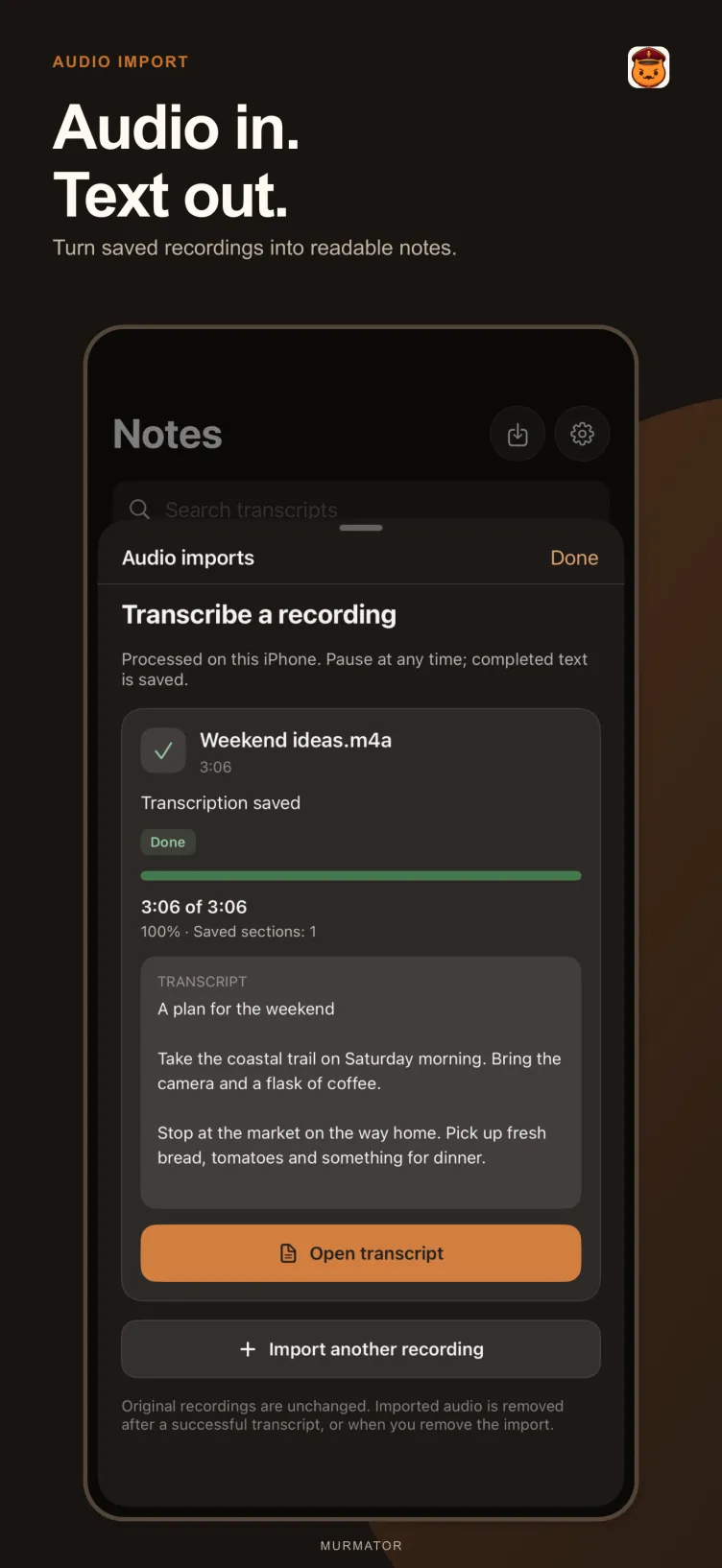
Import an audio file and turn it into a note. Pause and resume transcription; the original imported file stays intact. Keep Murmator open while processing.
Enable the Murmator keyboard, allow Full Access and activate its microphone session in the app. Return to a text field and hold the microphone to dictate.
Everything above runs on your device once the language packs are downloaded.
Privacy
No account is required. Murmator does not upload recordings, notes or translation text for inference. Language-pack downloads use external hosting. Copying and sharing are always your choice.
FAQ
Not for speech recognition and translation once the language packs are downloaded. Downloading the packs themselves uses external hosting and needs a connection.
Yes. The transcript and translation appear as you speak — no need to wait for the end of a sentence. Everything runs on your device.
Yes. Once the packs are downloaded, dictation, transcription and translation run on your device, so no connection is needed.
Language packs can require substantial storage. Manage downloaded packs and unload models from memory in Settings.
On iOS 18.4 or later, you can choose Murmator as your default translation app and translate selected text in other apps.
Enable the Murmator keyboard, allow Full Access and activate its microphone session in the app. Then return to a text field and hold the microphone.
No account is required. Recordings, notes and translation text are not uploaded to a server for processing. Copying and sharing are always your choice.